2026 · Author
kaas
Kafka as a Service: a CLI and terminal UI for any Kafka cluster, a management plane, and managed Kafka on Kubernetes — on one cluster-state engine.
Problem
why this existsKnow what a Kafka cluster is doing, change it safely, and move data through it — without a different tool for each job.
Architecture
napkin sketch, cleaned up- kaas CLI / TUI
- Cluster-state engine
- Management planeGitOps · ACLs · quotas
- Managed KafkaStrimzi on k8s
Three products share one cluster-state engine: the kaas CLI/TUI, a management plane for many clusters (GitOps plans, schemas, ACLs, quotas) in a web console, and managed Kafka on Kubernetes via Strimzi.
Technical decisions
and the trade-offsScreens on a terminal, text on a pipe
Every command draws a screen built for its job; piped, it prints stable text, and -o json prints JSON.
One engine, three products
The CLI, console and operator agree because they read the same cluster state.
Screenshots
taped in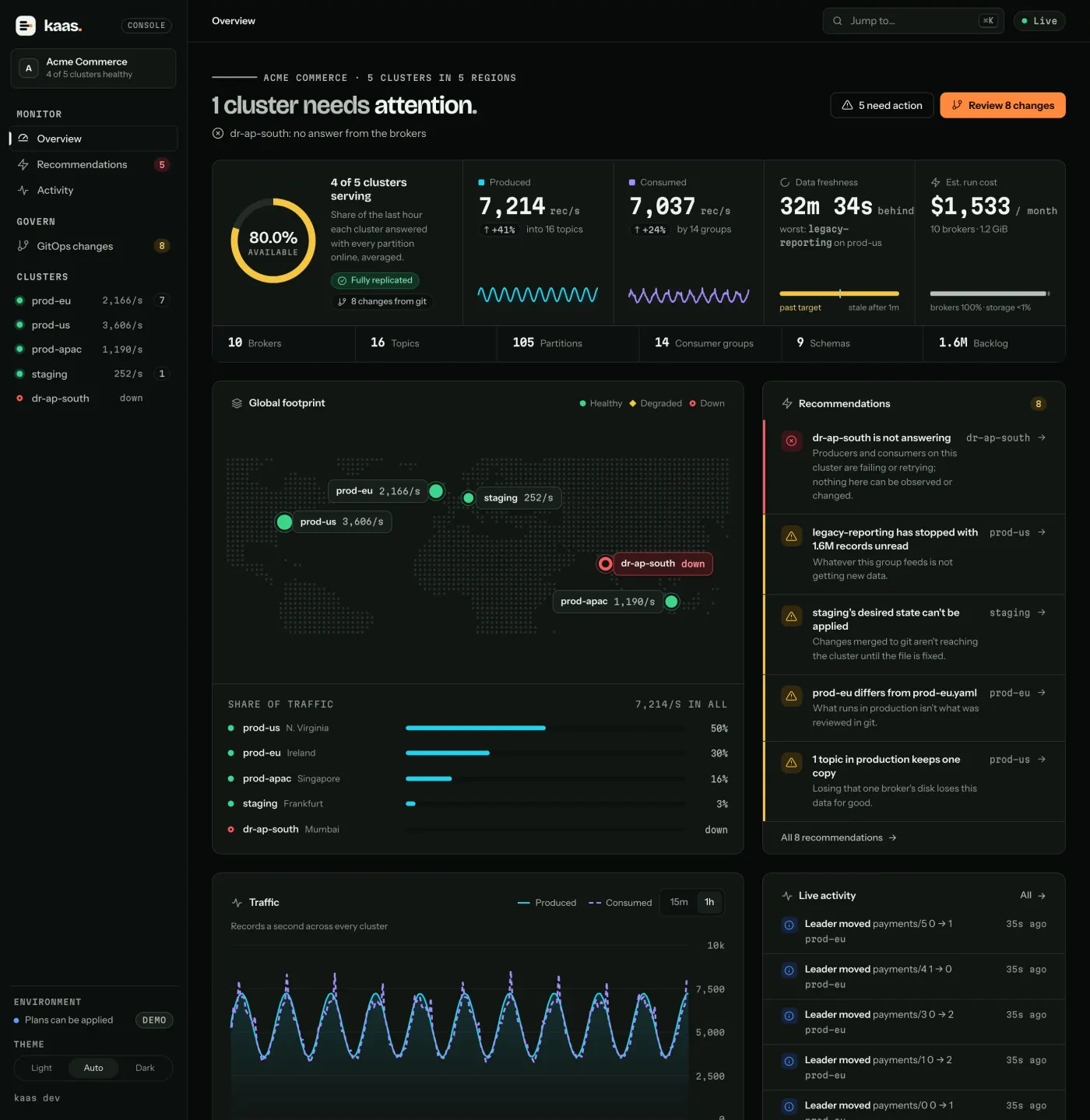 Fleet view in the console
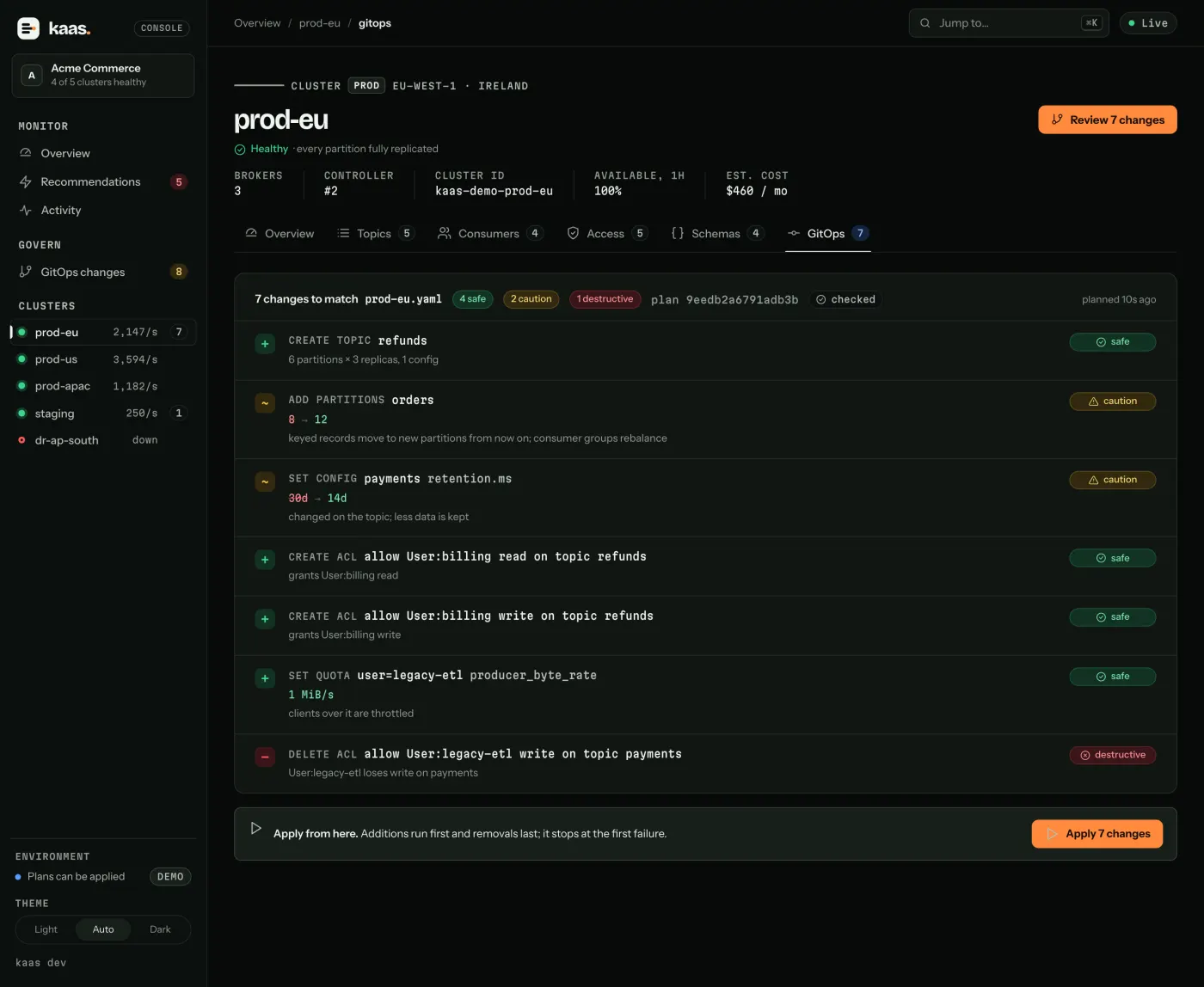 GitOps plans
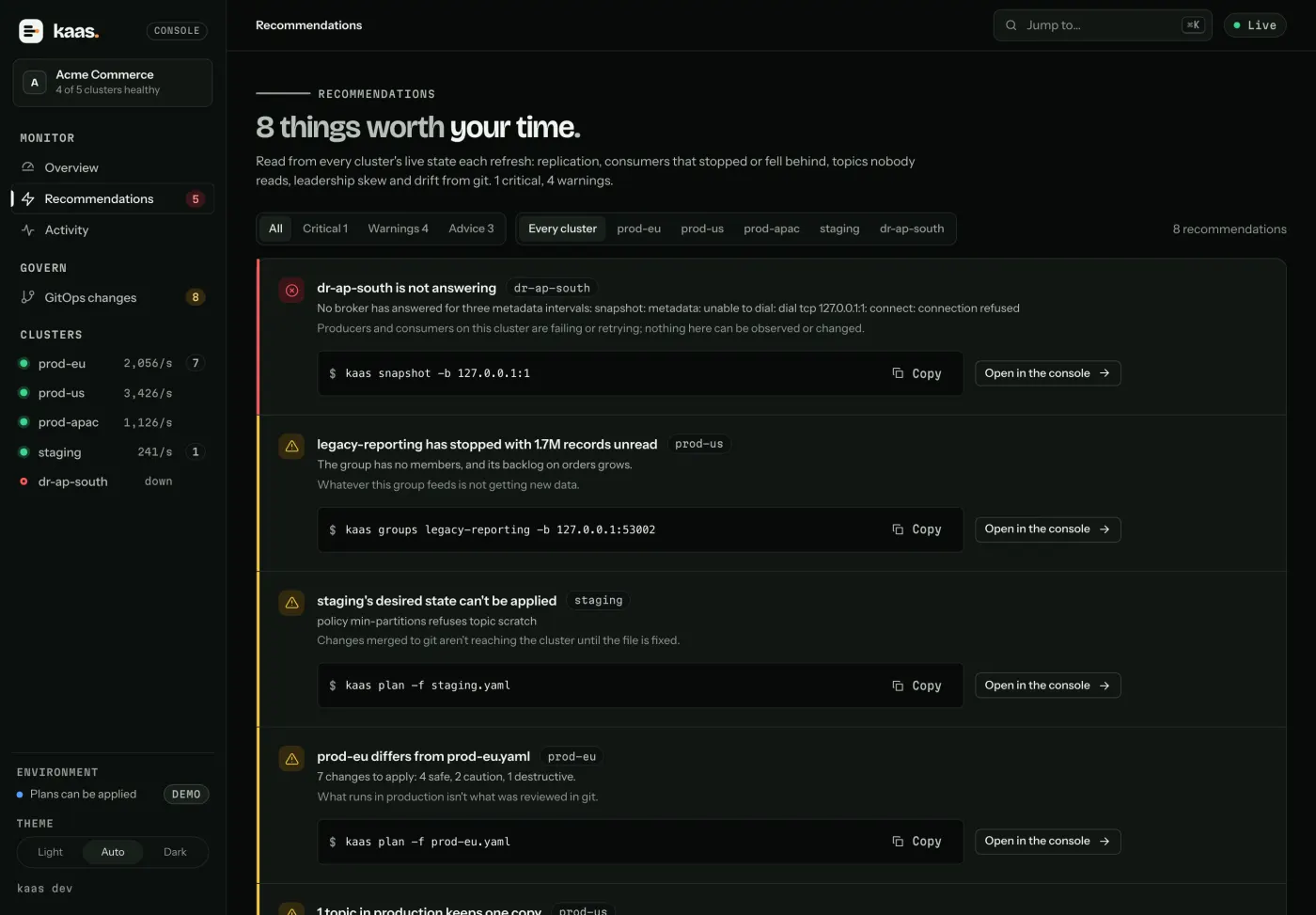 Cluster insights
Key engineering challenges
the bruises- 1
Changing a live cluster safely
Changes are planned GitOps-style before they're applied.
Results
- ✔ The CLI/TUI, the management plane and managed Kafka on Strimzi are all available now
Learnings
- ✎ A tool for on-call should be as useful in a pipe as on a screen.